
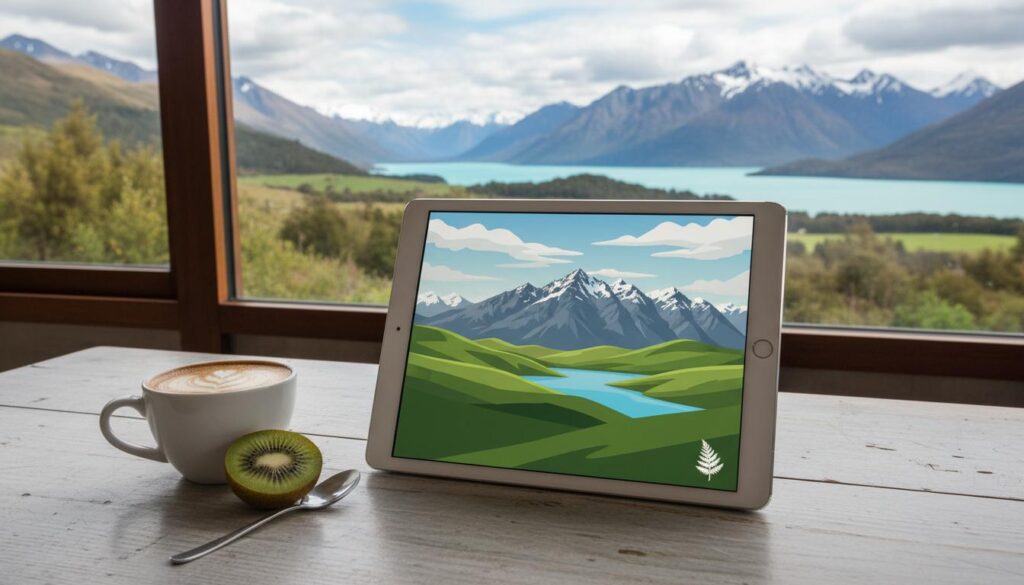
Thinking about an iPad in New Zealand? This guide cuts through the noise. You’ll learn what an iPad is, how it works, which model fits your life, and how to buy confidently in NZ—whether you’re kitting out a classroom, running a small business, or upgrading for travel and streaming. We’ll keep it simple, local, and useful so your search for “ipad nz” ends here.
What is
An iPad is Apple’s tablet: a portable touch-screen computer running iPadOS with access to the App Store. It balances the ease of a phone with the power of a laptop. In NZ, it’s popular for study notes, point-of-sale systems, creative work with Apple Pencil, and on-the-go entertainment.
Buying in New Zealand means prices include 15% GST, local warranties apply, and the Consumer Guarantees Act (CGA) provides protections beyond Apple’s standard 1‑year limited warranty. You can buy online from Apple NZ or through authorised retailers like Noel Leeming, PB Tech, JB Hi‑Fi, and selected carriers.
How it works
At heart, an iPad is a multi-touch display powered by Apple silicon (the same family of chips found in Macs and iPhones). It runs iPadOS, designed for touch, Apple Pencil, keyboard, and trackpad. Apps come from the App Store, and your files live locally or in iCloud.
- Setup uses an Apple ID to sync photos, messages, and backups.
- Wi‑Fi models connect to home or work networks; Wi‑Fi + Cellular models add mobile data with an eSIM or physical SIM.
- In NZ, Spark, One NZ (formerly Vodafone), and 2degrees offer data plans for cellular iPads. Many recent iPads support eSIM and 5G on compatible plans.
- Accessories like Apple Pencil, Magic Keyboard, and Bluetooth headphones extend what your iPad can do.
- Privacy controls, Face ID or Touch ID, and regular software updates keep things secure.
Daily use is straightforward: browse, email, Teams or Zoom calls, PDF markups, Netflix on the couch, and Sidecar to extend your Mac screen. Battery life is typically an “all‑day” 8–10 hours depending on workload.
Types / examples
Apple’s current iPad family in NZ ranges from the affordable iPad (10th gen) to the featherlight, pro-grade iPad Pro. Here’s how they differ in plain English.
iPad (10th generation)
- 10.9‑inch display, USB‑C.
- Great for everyday apps, kids, streaming, and school basics.
- Works with Apple Pencil (USB‑C) and various keyboard cases.
iPad mini
- 8.3‑inch display in a compact body.
- Ideal for note‑taking, pilots, tradies on ladders, and commuters.
- Snappy performance with Apple Pencil support, easy one‑hand use.
iPad Air
- Now in two sizes (11‑inch and 13‑inch, depending on the generation).
- Balanced power and price. Popular with students, creators, and light pro users.
- Supports Apple Pencil and keyboards; strong all‑rounder for “ipad nz” shoppers.
iPad Pro
- High‑end screens, the fastest chips, and premium accessories.
- For design, editing, 3D, and heavy multitasking.
- Best camera and display tech, with the lightest pro hardware yet in recent models.
Quick comparison for New Zealand buyers
| Model | Typical Screen Sizes | Chip Family | Storage Options | Apple Pencil Support | Cellular | Best For |
|---|---|---|---|---|---|---|
| iPad (10th gen) | 10.9″ | A‑series | 64GB, 256GB | Apple Pencil (USB‑C) | Optional 5G | Everyday use, schools, streaming |
| iPad mini | 8.3″ | A‑series | 64GB, 256GB | Apple Pencil (USB‑C or 2nd‑gen, check model) | Optional 5G | Portability, field work, travel |
| iPad Air | 11″, 13″ | M‑series | Typically 128GB–1TB | Apple Pencil (including newer models) | Optional 5G | Students, creators, professionals on the go |
| iPad Pro | 11″, 13″ | M‑series (latest) | Typically 256GB–2TB | Apple Pencil (including Pencil Pro on supported iPads) | Optional 5G | Design, video, 3D, advanced workflows |
Note: Apple Pencil compatibility varies by iPad model and Pencil generation. Check Apple’s NZ website for exact support before you buy accessories.
Pros and cons
Pros
- Portable power: light, long battery life, quick to wake.
- Apps galore: from Xero and MYOB to Procreate and Microsoft 365.
- Apple Pencil: natural handwriting, signatures, and creative work.
- Cellular freedom: eSIM options on Spark, One NZ, and 2degrees for on‑site jobs.
- Great resale value in the NZ market.
- Strong accessibility features for vision, hearing, and motor support.
Cons
- Total cost: keyboards and Pencil add up; “cheap” can become laptop money.
- Software limits: some desktop‑class tasks still feel easier on a Mac/PC.
- Repairability: screen and battery repairs can be pricey out of warranty.
- Model maze: multiple Pencils and keyboards with different compatibility.
- Exchange rate swings can affect NZ pricing.
How to use or choose
How to choose the right iPad in NZ
- Students: iPad Air hits the sweet spot for notes, PDFs, and research. Pair with Apple Pencil and a lightweight keyboard case.
- Business owners: choose cellular models for on‑site quotes, POS, and forms. Consider iPad Air or Pro if you multitask heavily.
- Creators: iPad Pro for colour‑critical work and the fastest chips; iPad Air if you want 80% of the power for less.
- Kids and casual use: iPad (10th gen) is sturdy value with the right case.
- Travellers and field staff: iPad mini for maps, checklists, and photos with one‑hand comfort.
Buying tips for “ipad nz” searches:
- Compare Apple NZ’s Education Store if you’re a student or teacher.
- Watch local sales events (Boxing Day, Black Friday, mid‑year clearances).
- Confirm Apple Pencil and keyboard compatibility before you commit.
- Check retailer stock by colour and storage—popular configs sell out.
- Consider AppleCare+ for accidental damage cover in NZ.
Step‑by‑step: set up your new iPad in New Zealand
- Power on and pick your language and region (New Zealand).
- Join Wi‑Fi and sign in with your Apple ID. If you don’t have one, create it.
- Restore from an iCloud or iTunes/Finder backup, or set up as new.
- Enable Face ID or Touch ID and set a strong passcode.
- Choose iCloud settings for Photos, Drive, and Keychain.
- Install essentials: banking, NZ news, Microsoft 365/Google Workspace, and your school or work apps.
- Pair accessories: Apple Pencil, Bluetooth keyboard, headphones.
- For cellular models, add a plan: scan an eSIM QR from Spark, One NZ, or 2degrees, or insert a SIM.
- Turn on Find My and set up backups so you’re covered if it’s lost.
- Customise Control Centre, widgets, and Focus modes to fit your day.
Where to buy in NZ
- Apple New Zealand online store: full range, custom storage options, engraving, and education pricing.
- Authorised retailers: PB Tech, Noel Leeming, JB Hi‑Fi, Harvey Norman.
- Carriers: Spark, One NZ, 2degrees for device + data bundles.
- Refurbished: Apple (where available) and reputable local refurbishers for savings with warranty.
Imported stock can be tempting, but watch for GST, warranty region limits, and chargers that don’t match NZ plugs.
FAQ
What is the best iPad for most people in NZ?
For most, iPad Air balances power, portability, and price. If you only browse and stream, the iPad (10th gen) is fine. If you edit video or design professionally, go iPad Pro.
Does iPad support 5G with NZ carriers?
Many recent cellular iPads support 5G on Spark, One NZ, and 2degrees. Check the exact model’s cellular bands and your plan before buying.
How much storage do I need?
64–128GB is fine for browsing and cloud use. Creators or offline video hoarders should aim for 256GB or more. You can’t upgrade later, so plan ahead.
Which Apple Pencil should I buy?
It depends on your iPad. Some iPads support Apple Pencil (USB‑C) or 2nd‑generation; newer high‑end models may also support Apple Pencil Pro features. Confirm on Apple’s NZ compatibility page.
Is an iPad good for NZ students?
Yes. Notes, PDFs, and lecture recordings shine on iPad, especially with Apple Pencil. Check the Apple Education Store in NZ for student pricing and bundles.
What about NZ warranty and CGA?
Apple includes a 1‑year limited warranty. The Consumer Guarantees Act provides additional rights in NZ. You can also add AppleCare+ for extended coverage and accidental damage service fees.
Can I run my small business on an iPad?
Plenty do. You’ll find POS systems, invoicing (Xero, MYOB), and inventory apps. Choose a cellular model if you work on the road and consider a keyboard for faster data entry.
When is the best time to buy an iPad in NZ?
After new model announcements, during major sales (Black Friday, Boxing Day), or with education deals. Use price alerts and compare authorised retailers.
What’s different about “ipad nz” versus overseas models?
Mainly pricing (GST included), local accessories and power plugs, and carrier band support. Buying locally simplifies warranty and CGA coverage.
Does iPad replace a laptop?
Sometimes. With a keyboard and the right apps, many tasks fly. For niche desktop software or complex file workflows, a Mac/PC may still be easier.
Bottom line for iPad NZ buyers
Choose the model that fits your work, not the other way around. iPad (10th gen) covers the basics. iPad mini is the portable pocket rocket. iPad Air is the confident choice for most. iPad Pro is your creative and performance powerhouse. Buy from trusted NZ retailers, confirm accessory compatibility, and consider cellular if you’re often away from Wi‑Fi. That’s the smart way to nail your “ipad nz” decision.
More Stories
Glenfield Mall: A practical local guide to shops, parking, and smart ways to visit
Puffer jacket guide for New Zealand: warmth, weather, and the right fit
PB Tech Wellington: A Local’s Guide to Smart Tech Buying in the Capital